 Scrapalot
Meet Scrapalot.
Your library, read properly. Ask it questions, watch the answers get verified, and argue it out with your team — beside an assistant that cites its sources at every step.
Drawn to scale from the shipping app — click “real” on any frame for the actual pixels
Everything you own,indexed and answerable
Drop in PDFs, EPUBs, Word files and scans — built-in OCR reads the ones nobody digitised properly. Knowledge Stacks group what belongs together, so a question can be aimed at one shelf instead of everything at once, and processing runs in the background while you keep working.
Read beside the chat,ask beside the page
Open the source next to the conversation. Highlight a passage and turn it into a question, a margin note or a citation — without leaving the page it came from.
Watch it verify its own findings
Plan, retrieve, read the literature, verify, write. Claims that no passage supports are dropped in front of you — and a finding standing on one source is flagged rather than quietly kept.
Five phases you can watch
Planning, retrieval, reading, verification, writing — each with its own timing, so a four-minute run is four accounted-for minutes.
Dropped means shown dropped
A claim that fails verification is struck through in front of you, with the reason — not smoothed over in the final text.
From report to paper
The same run can end as a cited report or a full paper with figures and a bibliography, via the AI Scientist.
Your team, your sources, and an AI in the room
Research is a conversation before it is a document. Scrapalot gives the workspace a channel, every shared project a room, and puts the assistant inside the room that matters — answering from your library and from the sources you connect.
Address the assistant
Write @ai and it answers in the room, from that project — its conversations, its documents, and the sources you have connected.
It cites, and it disagrees
Every answer carries the passages behind it. When the team is wrong, it says which claim does not hold rather than agreeing.
The room remembers
What a project works out is kept as its memory — readable and correctable by everyone with access, not buried in one person’s chat.
One channel forthe whole workspace
The part that feels like Slack, sitting where the research already is — no second tab, and no copying a passage into another tool to ask about it.
Presence, reactions, files
Who is online, who is typing, who reacted. Drop a file into the room and it lands in the workspace.
Huddles
When typing stops being enough, start a huddle from the composer and talk. It runs as a bar under the last message, not in another app.
Moderation that is honest
Retract a line and a mark stays where it was. Moderators can roll the room back to a point, or clear it outright.
A summary above the scrollback
Everything older than the last hundred messages folds into one AI summary, so joining a busy channel does not mean reading a year of it.
The room remembers
What a project works out is distilled into its memory as the discussion develops — who does what, what the argument settled, what somebody lent from their own notes. Everyone with access reads the same entries, and anyone can correct them; the next conversation in that project starts from what the last one learned.
The assistant has hands
Switch on a server and its tools become available in every conversation and every room. Scholarly databases, sacred-text corpora, live web search, structured data — the assistant calls them mid-answer and cites what came back. Bring your own endpoint and it sits beside the rest.
Every tool, one quiet surface
The rest of the research stack, drawn to scale — pick a tool to watch it work, and open the real screen behind any drawing.
A full editor beside the chat — AI assist, suggested titles, and citations that arrive as citations, not as pasted text.
See Scrapalot in action
Walk through the whole product right here — step by step, no pop-ups. Use the arrows, tap a chapter below, or press play.
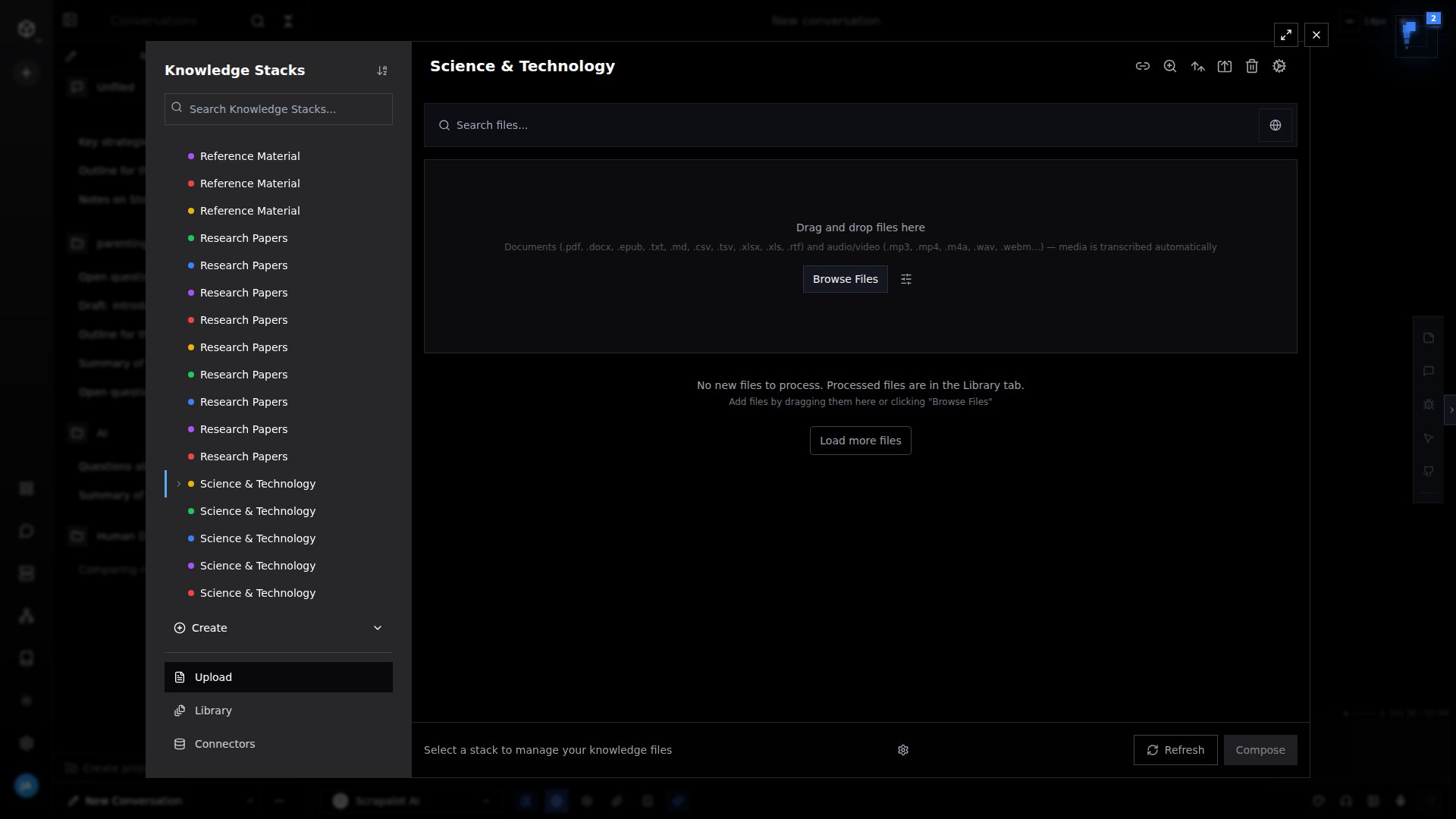
Bring your library in
Drop in PDFs, EPUBs, Word files and scans. Built-in OCR handles the ones nobody digitised properly, and processing runs in the background while you keep working.
Powerful features for modern knowledge work
Everything you need to transform your documents into intelligent, searchable knowledge bases
AI Scientist
Hands a research question to an agent that plans, searches, reads and verifies before it writes — and returns a cited report, or a full paper with figures and a bibliography.
Deep Research
Five phases you can watch happen: plan, search, read, verify, write. Findings that fail verification are dropped rather than smoothed over, and every claim keeps the source it came from.
Talk to Documents
PDFs, EPUBs, Word files and scans. Built-in OCR reads the ones nobody digitised properly, and every answer carries page-level citations back into the text.
Read and annotate
A real reader beside the chat — highlights, margin notes, and a selection you can turn into a question, a note, or a citation without leaving the page.
Rooms, with the AI in them
A chat room for the workspace and one for every shared project. Presence, reactions, huddles, and an assistant you address with @ai that answers from your own sources.
Project brain
What a project has worked out is kept as its memory, not buried in one person’s chat — readable and correctable by everyone with access, and carried into the next conversation in that project.
Knowledge Graphs
Entities, concepts and their relationships extracted as your library grows, linked across every book you own, and queryable when a question is about connections rather than passages.
The literature and the open web
Academic databases, preprints and citation graphs alongside live web search and page extraction — pulled in when your own library does not have the answer.
Listen, and talk back
Have a book read to you, or hold the conversation out loud — speech in, spoken answers out, with the reading position kept where you left it.
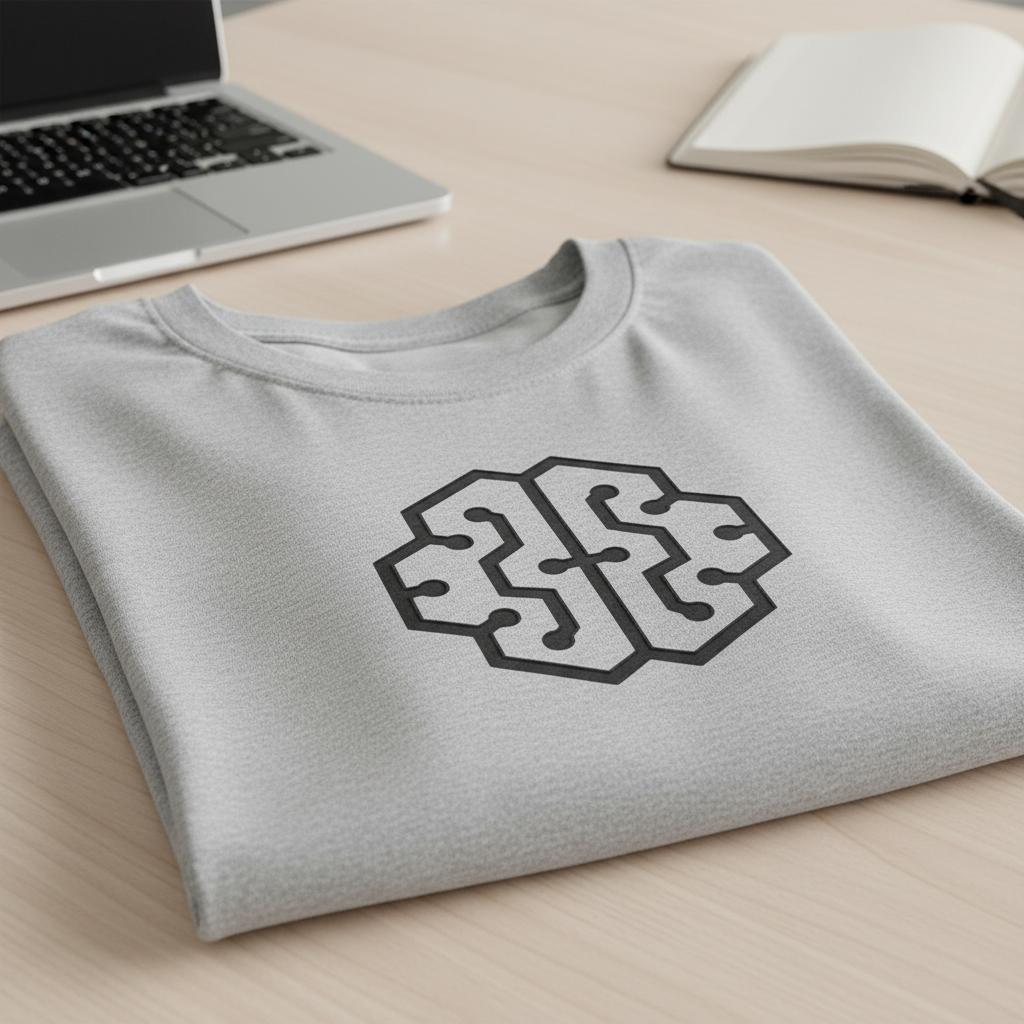
Scrapalot merchandise
Show your support for the Scrapalot community


Ready to transform
your knowledge work?
Join thousands of professionals who have revolutionized their document workflow with Scrapalot's AI-powered intelligence.
No credit card required · Setup in under 2 minutes · Enterprise-grade security